Show what comes together.
The opening brings the desktop product, mobile app and sales tools into one view. Visitors can see the breadth of the software before exploring individual capabilities.
WebsitesDashboard UI
I designed and built BoosterHub’s public website around the everyday jobs of running a booster club. That collaboration led to a second brief: modernize the dashboard UI while keeping the client’s existing structure.
Explore Webflow build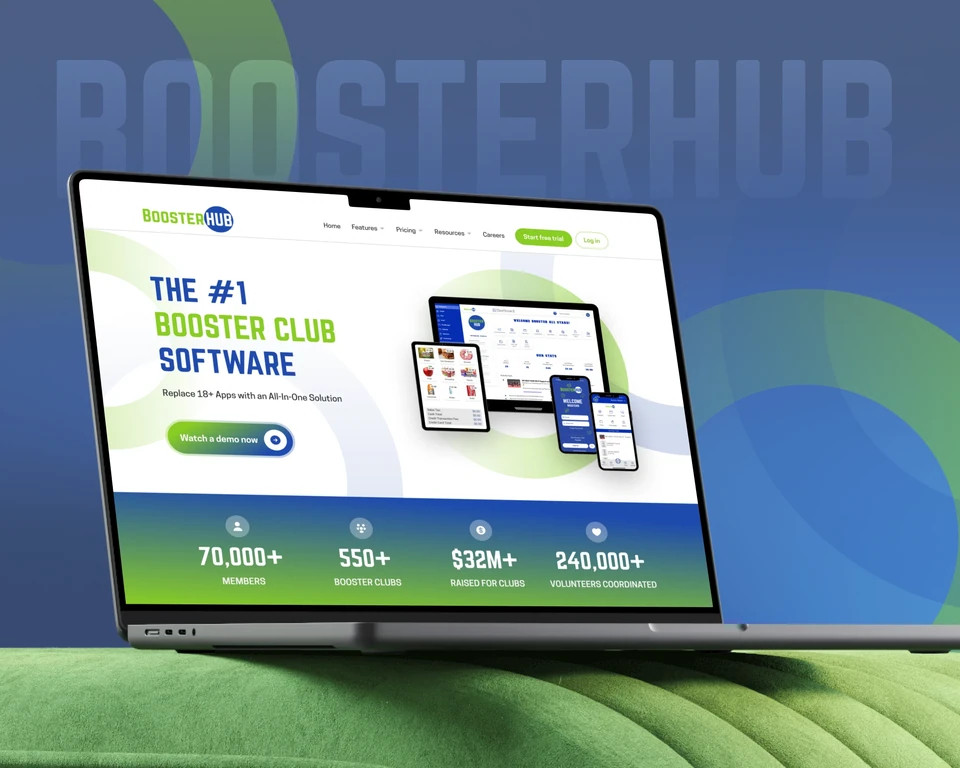
The club behind the software
A booster club has to coordinate people, fill volunteer slots, raise money and keep its accounts in order. The website needed to make that broad product feel relevant to someone already juggling those responsibilities.
The opening brings the desktop product, mobile app and sales tools into one view. Visitors can see the breadth of the software before exploring individual capabilities.
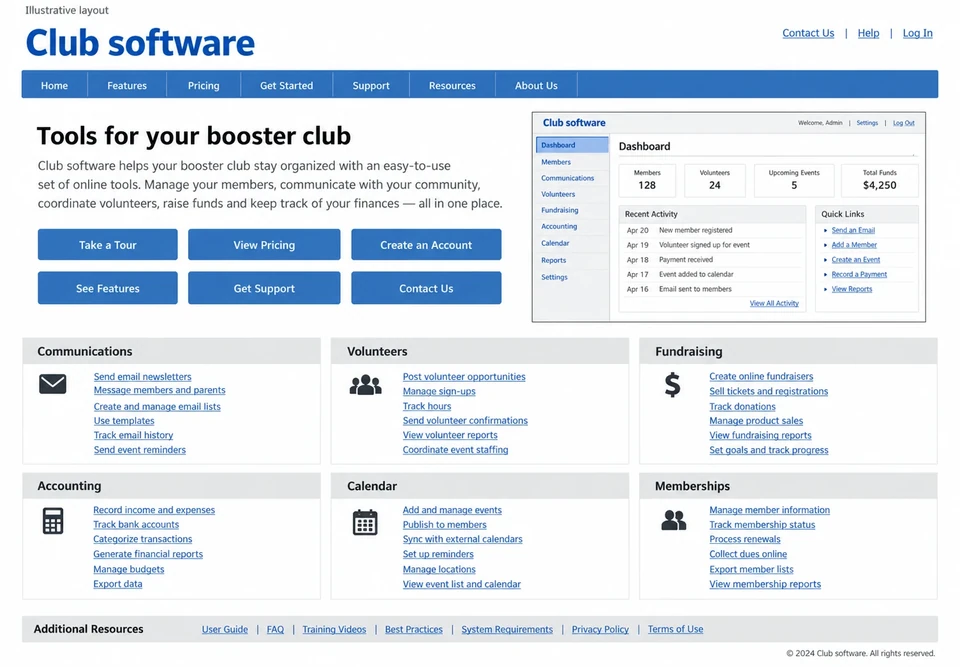
Communications, volunteers, fundraising and accounting give the homepage a practical sequence. Each section pairs a club task with the part of the product that supports it.
A prominent demo action gives curious visitors a direct way to see the system. Feature and pricing pages provide more detail when they need it.
Website hierarchy
The opening brings the product into focus, gives club tasks a clear order and makes the demo action easy to find.
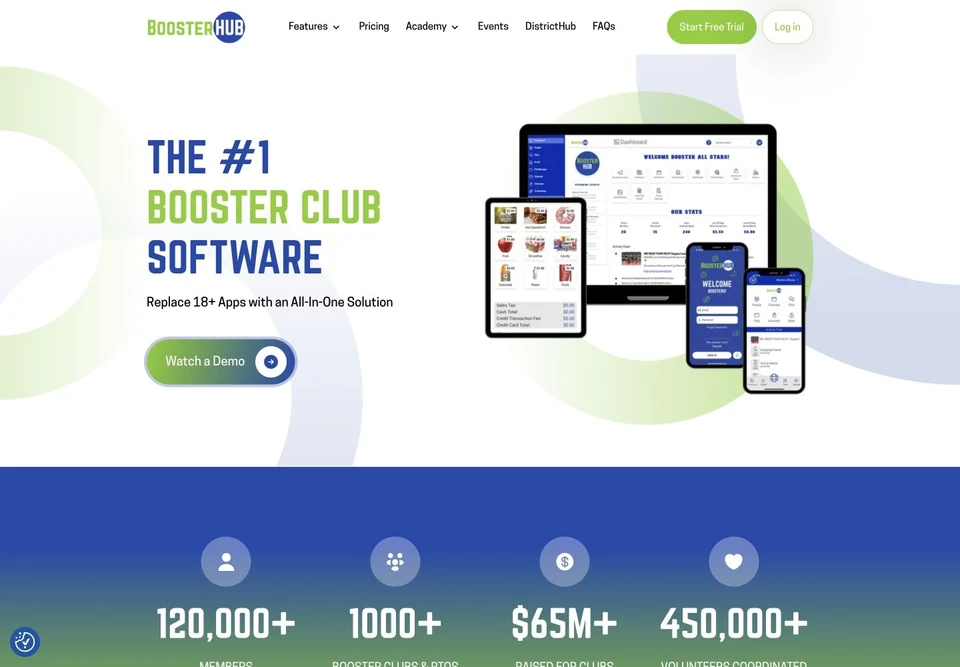
The opening decision
I used the brand’s blue and green, broad circular forms and responsive product imagery to give the website its own visual character. The devices explain where the software fits into a club’s day.
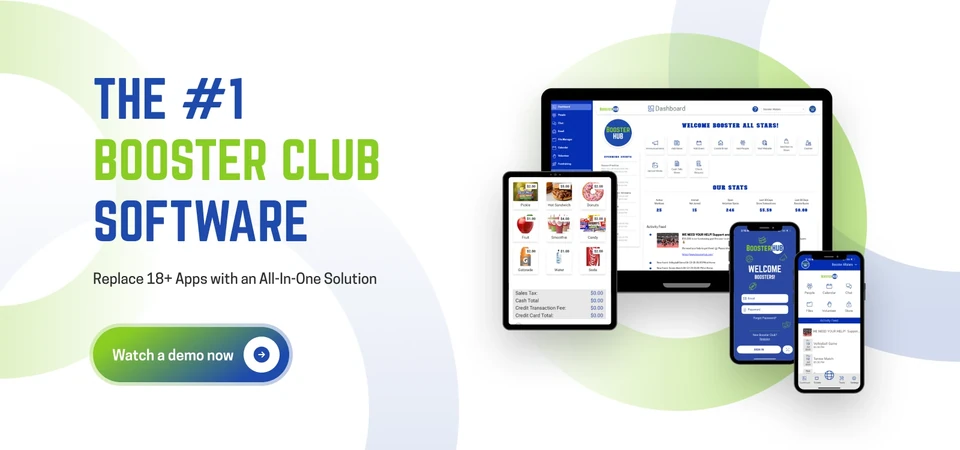
Beyond the hero
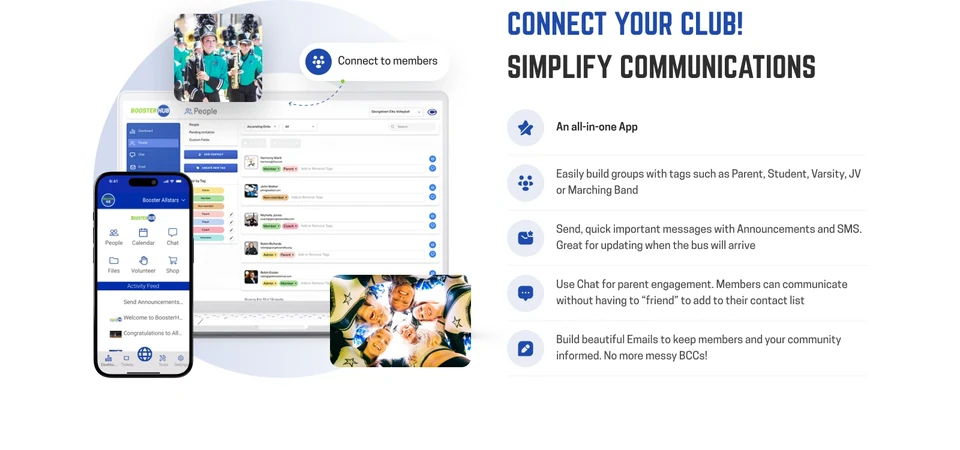
A product screenshot becomes more useful when the surrounding copy explains the task. The homepage moves from keeping members informed to organizing volunteers, raising funds and managing accounts.
Member groups, announcements and mobile access sit beside the actual interface. Parents and volunteers can recognize the situations the tools are meant to handle.
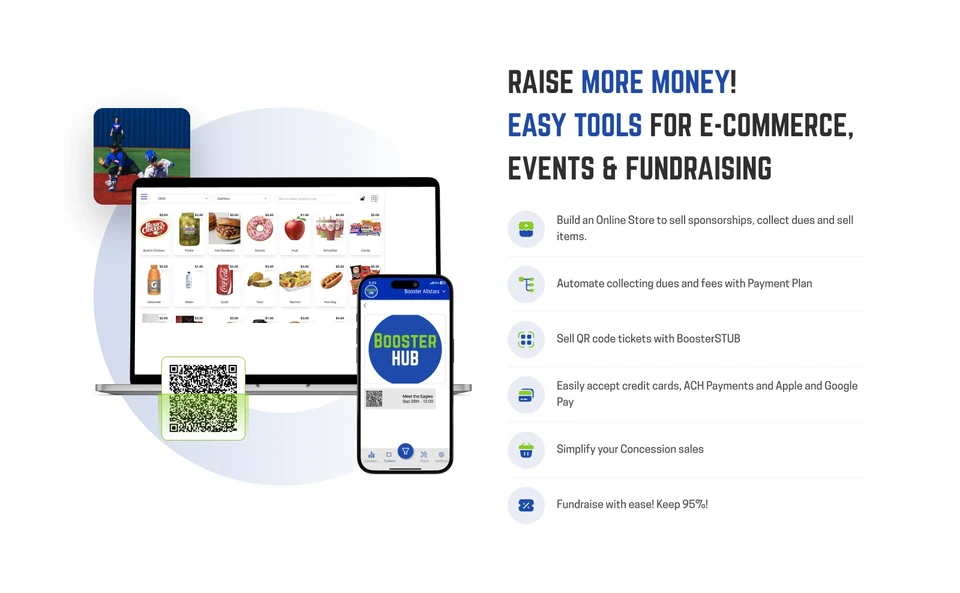
The store, event ticket and phone imagery make the tools concrete. They help a club connect the software to selling merchandise, collecting dues and running events.
A complete website journey
The homepage introduces the product. Supporting pages let people examine the details before choosing a demo. The Webflow build carries the visual system across those different reading needs.
A clear opening, recognizable club tasks and product views introduce the system.
A deeper capability overview helps a club examine its own requirements.
Plan summaries and capability details support a more informed conversation.
A focused route lets interested visitors take the next step with BoosterHub.
The next brief
After the website work, the client asked me to modernize the dashboard’s appearance. Their brief was specific: keep the existing structure and apply a more considered UI.
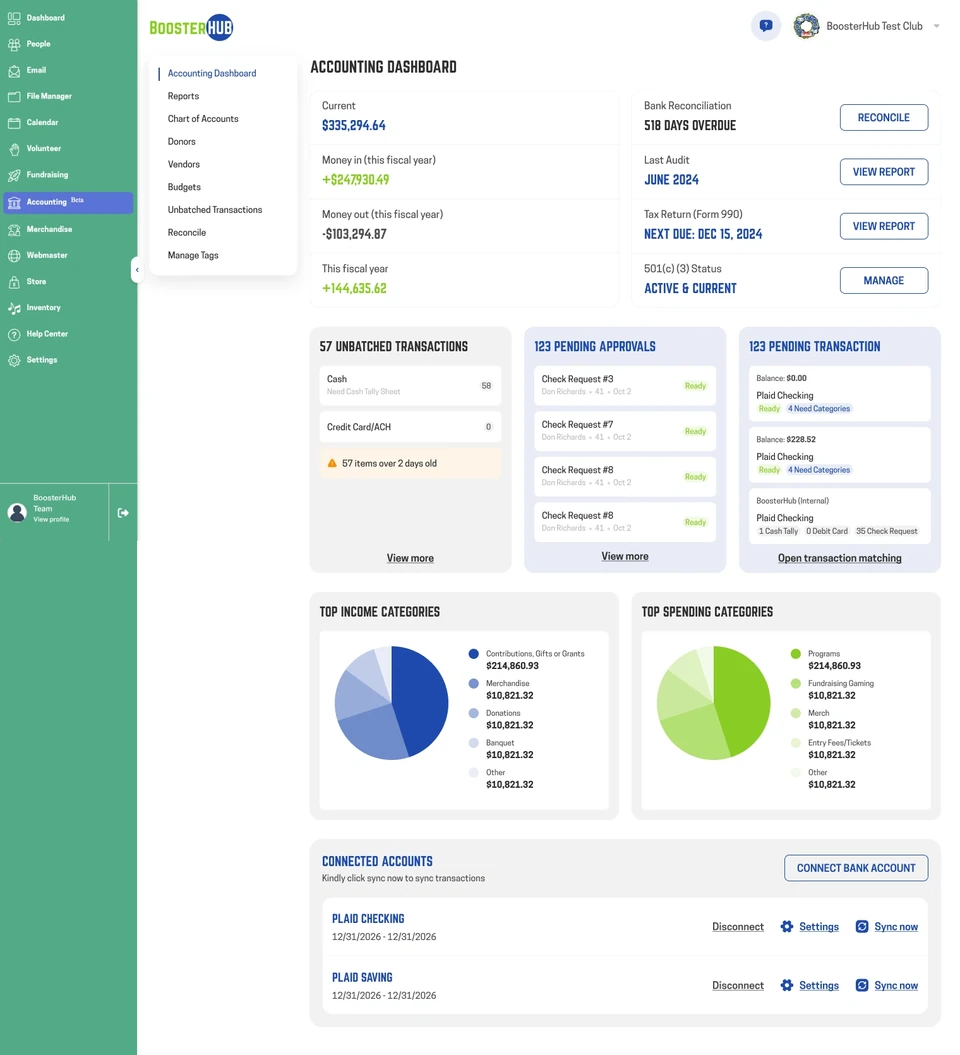
I worked within that structure on the visual hierarchy, type, spacing, navigation states and controls. The accounting design brings balances, pending work, reporting and account actions into a consistent interface.
The website uses expressive product compositions. The dashboard uses compact surfaces and restrained color so the information remains easy to read during everyday work.
Dashboard UI · Existing product structure
I modernized the visual hierarchy inside the client’s existing structure. Balances, outstanding work and account information remain grouped by their everyday purpose.
Dashboard UI · Existing product structure
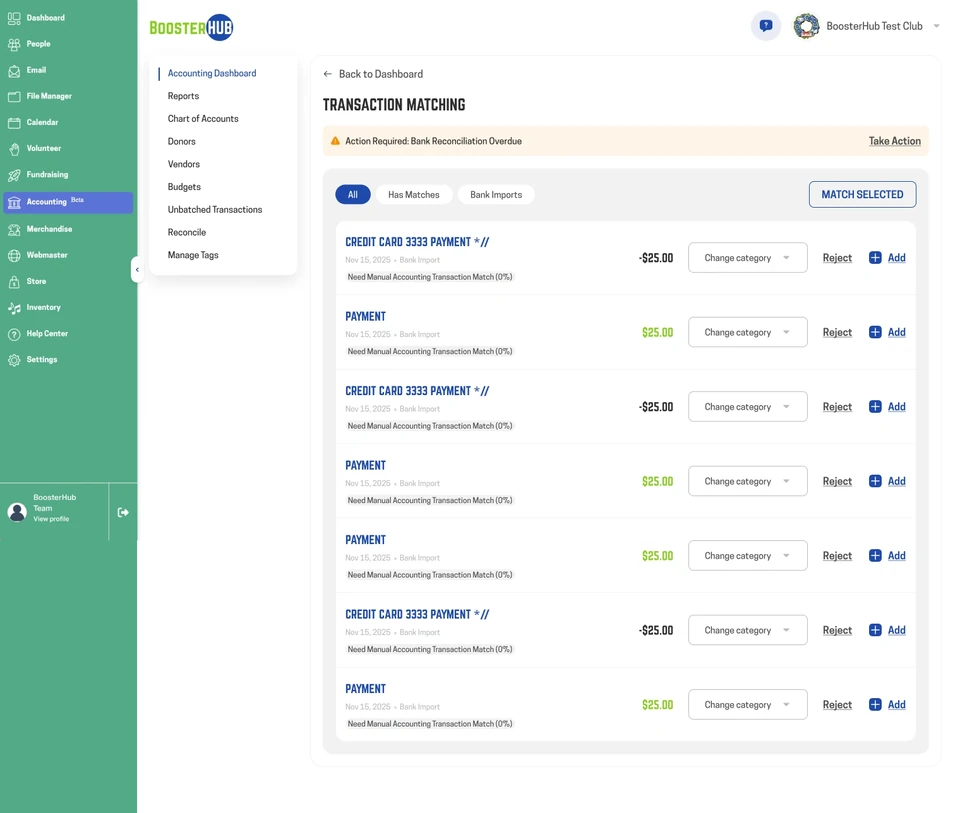
Repeated rows align transaction context, category choices and actions. The UI styling makes the existing matching workflow feel clearer without changing the product structure.
Dashboard UI · Existing product structure
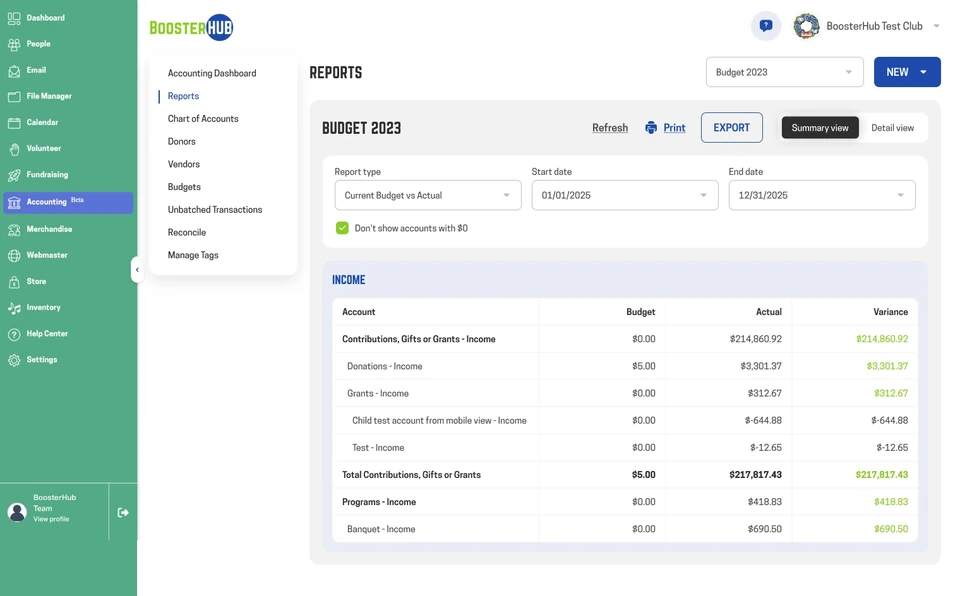
The report view uses consistent columns, restrained colour and clear summary hierarchy. Filters and export actions sit above the data so the table remains the focus.
An ongoing design relationship
The project grew from website design and Webflow delivery into UI work for the existing dashboard. Across both briefs, the design had to serve the same people while respecting the different jobs of a marketing page and a working interface.
Your next project
Send me your idea in your own words. I’ll review your brief and help shape the next step.